
BICS Digital Signage Management System for Organizations
BICS (Bainisys Information Channel Services) is a comprehensive platform for managing information channels and digital signage. Bainisys developed it to help organizations manage communications, control content across multiple displays, and monitor devices through one centralized system. As a result, teams can keep messages consistent across locations. Explore related display solutions, or review the W3C web accessibility guidance when planning web-based screen content.
With BICS, administrators can upload and manage content, create playlists, schedule content publication, and monitor device status in real time from anywhere. The platform supports cloud, private cloud, and on-premises deployment to meet different organizational requirements.
Centralized display management
Automated content scheduling
Real-time device monitoring
Designed for enterprise use
What Is BICS Digital Signage?
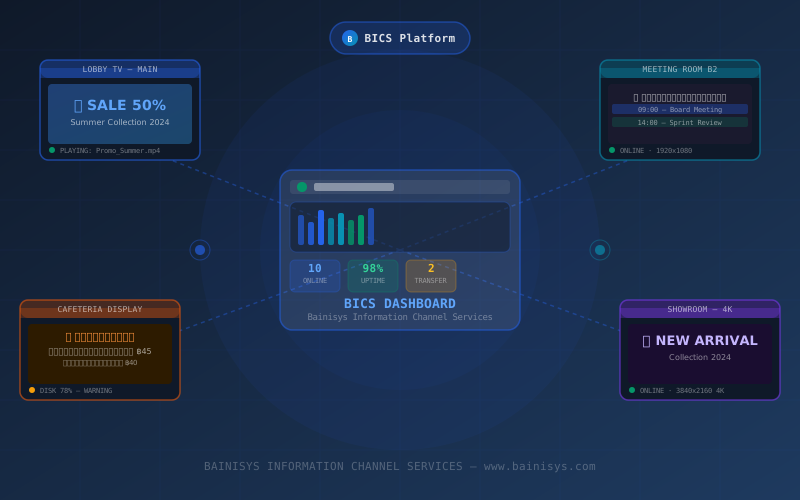
BICS, or Bainisys Information Channel Services, is a platform for managing digital signage and internal communication channels within an organization. Through a single dashboard, users can manage content and multiple display devices, ensuring that the information shown on each screen remains up to date and relevant to the designated location or schedule.
BICS meets the needs of businesses in Thailand and organizations across the ASEAN region. In addition, organizations can deploy it in the cloud, in a dedicated private cloud environment, or within their existing infrastructure. The platform also supports Thai-language content.
Key Benefits of the BICS Digital Signage Management System

Designed for Organizational Use
BICS supports deployments ranging from a few screens to many locations. For example, small businesses, large organizations, and multi-branch companies can manage all connected devices through one centralized system.

Comprehensive Thai-Language Support
The user interface supports Thai and Thai Unicode fonts. Moreover, the local Bainisys support team helps Thai organizations coordinate operation and maintenance smoothly.

Easy Setup and Deployment
The system guides teams through setup from the start. Therefore, organizations can add devices, organize displays into groups, and begin publishing content without complicated procedures.
Core Features of BICS
6 CORE MODULES
Centralized Device Management
Add, remove, or edit device information from one dashboard. In addition, administrators can monitor device status, IP addresses, and available storage in real time and import data through CSV files.
Content and Playlist Management
Upload and manage videos, images, and HTML files through the Content Library. For example, teams can create playlists with drag-and-drop tools and assign different layouts to individual displays.
Content Scheduling
Set the date, time, and device group for each publication. As a result, teams can automate recurring schedules, special content, and urgent announcements.
Dashboard and Real-Time Monitoring
Monitor every connected device and receive alerts when a device goes offline or its storage is nearly full. Moreover, administrators can review operation history in the Activity Log.
Multi-Zone Layout Design
Create layouts without writing code and divide each screen into multiple zones. For example, a single display can show videos, scrolling text, and QR codes at the same time.
Automation to Reduce IT Workload
Automate routine tasks such as restarting devices, clearing cache, sending reports, and issuing email notifications. Therefore, IT teams can simplify daily system maintenance.
Who Is BICS For?
Hotels and Hospitality Businesses
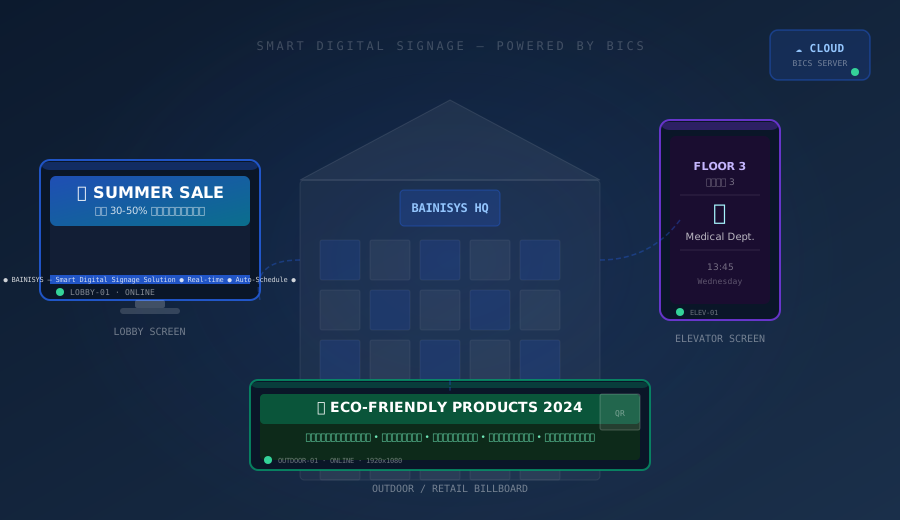
For hotels, BICS displays room information, promotions, activity schedules, and service details on screens in lobbies, elevators, and shared spaces.
Shopping Centres and Retail Businesses
Retail teams can publish promotions, update product prices, and distribute campaigns from one location to screens across multiple branches.
Hospitals and Clinics
In healthcare facilities, BICS displays patient queues, examination room information, health guidance, and announcements for visitors in waiting areas.
Factories and Offices
For factories and offices, teams can share KPIs, internal news, meeting schedules, and safety information through digital boards.
BICS Deployment Options
BICS supports different deployment models based on each organization’s policies and infrastructure, including:
Cloud
Access and manage digital signage through a cloud-hosted environment, making it easier to deploy updates and manage displays across multiple locations.
On-Premises
Deploy BICS within your organization’s existing infrastructure for greater control over data, network access, and internal security policies.
Private Cloud
Use a dedicated cloud environment when your organization requires isolated resources, customized security controls, or specific data-governance requirements.
Frequently Asked Questions About BICS
What Does BICS Stand For?
BICS stands for Bainisys Information Channel Services. It is a platform developed by Bainisys for managing digital signage and organizational information channels.
What Is BICS Used For?
BICS is used to manage content, schedule publication, and monitor multiple display devices through a centralized system.
Which Deployment Options Does BICS Support?
BICS supports cloud, on-premises, and private cloud deployment, allowing organizations to choose the model that best matches their infrastructure, security policies, and data-governance requirements.
Which Content Formats Does BICS Support?
BICS supports videos, images, and HTML files through the Content Library. Support for documents, data feeds, streaming content, and specific file versions should be confirmed with the Bainisys team before deployment.
Is BICS Suitable for Organizations With Multiple Branches?
Yes. Administrators can group displays and assign different content based on branch, location, or schedule through the centralized system.
Start Managing Your Digital Signage with BICS
Talk to the Bainisys team to assess the number of displays, content requirements, system connectivity, and the most suitable BICS deployment approach for your organization.
- Centralized display management
- Automated content scheduling
- Real-time device monitoring
- Designed for enterprise use